FAQ
You can send one command this way:
token=master19dd529542d4b79fcd88, signal=buy, symbol=EURUSD, risk_lots=0.1, n_signal=buy, n_symbol=EURUSD, n_qty=1
This sends buy signal for both MT4/5 and NinjaTrader 7/8. MT4/5 will buy 0.1 lot of EURUSD, NinjaTrader 7/8 will buy 1 quantity of EURUSD.
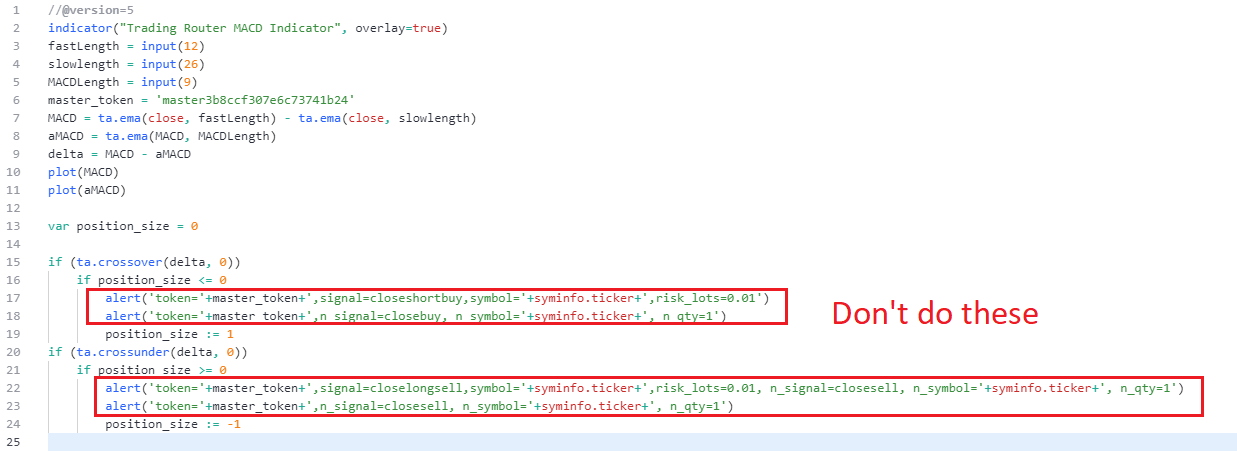
We recommend just use one command for both MT4/5 and NinjaTrader 7/8. So instead of
alert('token='+master_token+',signal=closeshortbuy,symbol='+syminfo.ticker+',risk_lots=0.01')
alert('token='+master_token+',n_signal=closebuy, n_symbol='+syminfo.ticker+', n_qty=1')
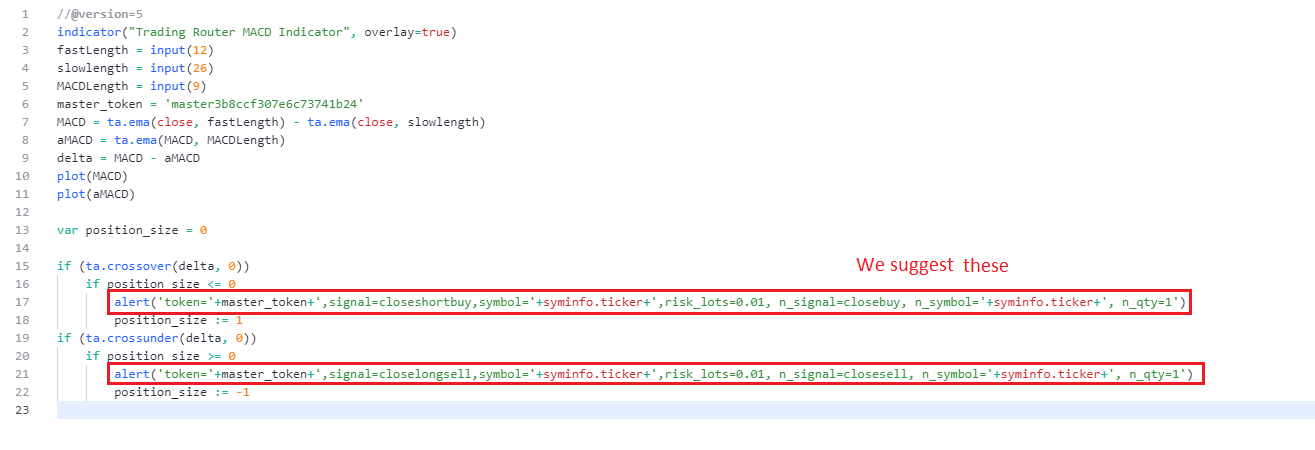
You'd better do
alert('token='+master_token+',signal=closeshortbuy,symbol='+syminfo.ticker+',risk_lots=0.01, n_signal=closebuy, n_symbol='+syminfo.ticker+', n_qty=1')
This is because if you use one alert, you only send one message to server, this will make it faster than using two alert and sending two messages.
You can stop the service yourself at any time from your dashboard. Log in on a computer and open the Dashboard tab in the left sidebar, then:
If you are still inside the free trial: press the Stop Service After Trial button. Your service keeps running until the trial ends, then it stops and you are never charged.
If your trial has already finished and the service is running: press the Stop Service button. The service stops right away.
That is all you need to do — there is nothing to cancel on the Stripe or PayPal side, and you do not need to email us.
Once the service is stopped, your tokens no longer route TradingView alerts to MT4, MT5 or NinjaTrader 7/8, so you can also remove the Trading Router EA from your charts and turn off the alerts in TradingView.
Your account and your tokens are kept, so you can come back whenever you like — the same Dashboard page will then show a Start A Plan button to restart the service.
About the last payment: billing is post-pay, so you are still billed for the usage up to the stop date, and that final amount is charged at the end of the current billing cycle. See the next question below for a full example, and check the Invoices tab in the left sidebar for any outstanding balance.
Trading Router works on a post-pay basis: you use the service first, and we charge for that usage at the end of each billing cycle. This means a charge always covers a period you have already used.
So when you cancel, there is usually still some usage from the current cycle that has not been billed yet. We continue charging only until that final balance is settled — never for any time after you stopped.
Example: You use the service from May 1 to May 30, and we charge $14.99 for it on May 30. You then cancel on June 15. The usage from May 31 to June 15 (about $7) has not been paid yet, so we charge that final $7 on June 30. After that, nothing more is owed.
Once your balance reaches zero, our system will never charge your card again automatically.
To check whether you have an outstanding balance, log in to your dashboard on a computer and open the Invoices tab in the left sidebar.